i've been on leave from work for surgery and recovery, so naturally, in all the downtime my temporary unemployment has afforded me, i've gone and done exactly what i would otherwise do at work and did a bunch of web dev stuff.1 namely, i've rewritten the entire website that you're looking at right now.
now if you've been here before, there's a very reasonable question you might ask, one that i've heard a few times now:
what do you mean you rewrote the site? it looks the exact same.2
to put it exactly, here's the generated image diff between the site immediately before all my work, and now.
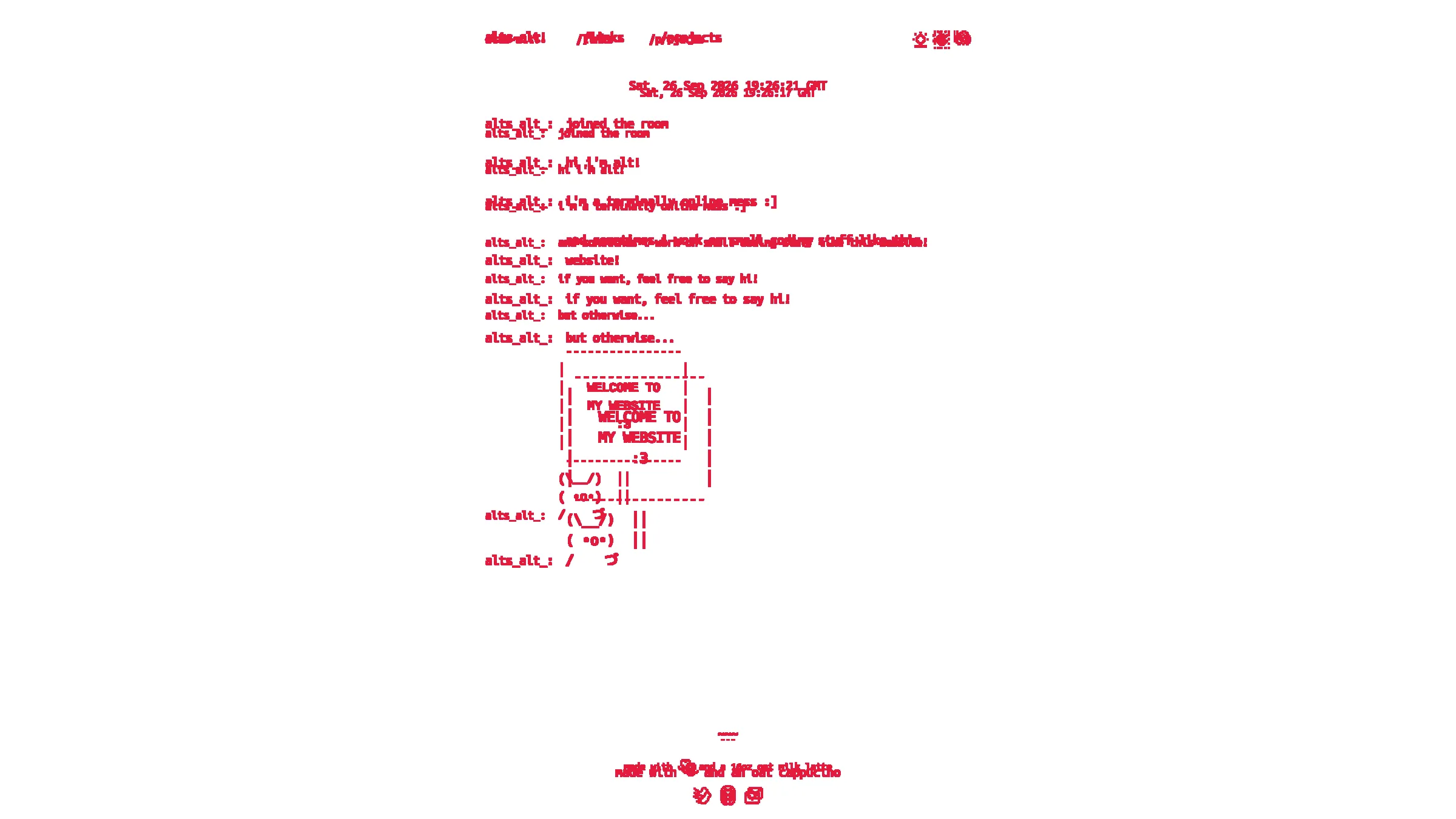
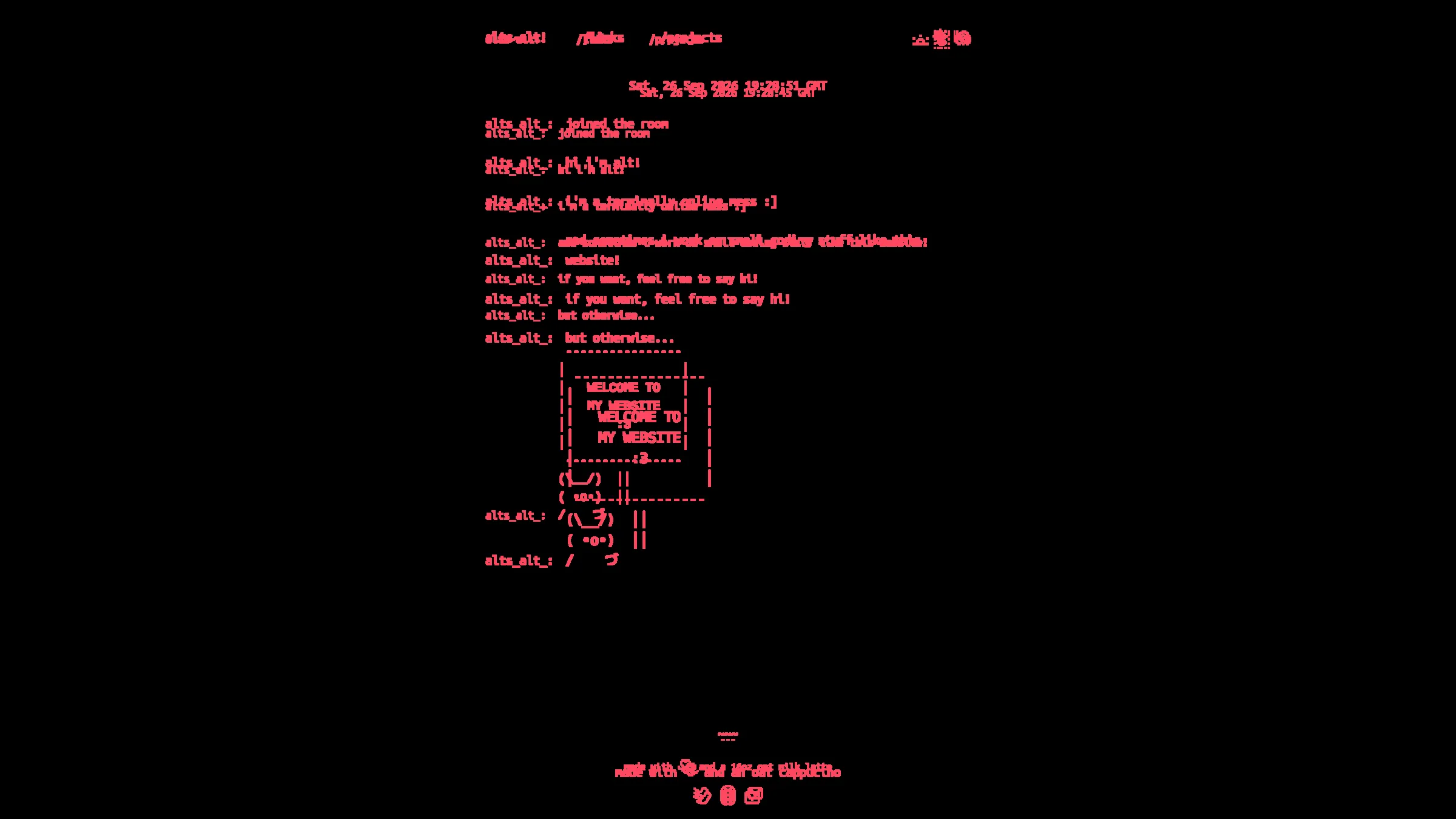
ok fine, the text is larger and my coffee order is tamer.3 but what the hell was even the point of all of this?
a brief oversimplification of (old) websites
way back in the day, before everything was computer, you could reasonably sum up that a website is like a file folder that sits on a server. when a browser goes to a web page, all the server is doing is sending back the static files that sit at the file location specified.
this comparison becomes plain if you've ever seen a small website's sitemap (here's apple's, as an example). the branching structure containing a bunch of pages with smaller groups containing fewer pages is exactly what a file system does. you can imagine that apple's sitemap would be modeled as a directory like this:
.
├── index.html ## the home page
├── about-apple/
│   ├── apple-leadership.html
│   ├── career-opportunities.html
│   ├── investors.html
│   └── ...
├── where-to-buy/
│   ├── find-an-apple-store.html
│   ├── shop-online.html
│   ├── find-a-reseller.html
│   └── ...
└── for-business/
    ├── apple-and-business.html
    └── shop-for-business.html
it's pretty common for small sites that don't do much then to literally just be a server that sends out files exactly like this. on neocities for example, you just upload a bunch of files and as people go to your webpage, neocities just returns the files that you put in in the shape you put them in.
what files are you putting in then?
traditionally, the web is simplified into three types of files.
- html files house the actual content of the site. in theory, if you have access to the html, you should be able to understand what a website is trying to say.
- css files house the styling. it's what makes your html pretty and not make the page just look like something that came out of a dial up connection.
- javascript files house interactivity. it defines, for example, what some buttons do, or how the page fetches outbound information, or how things may move around when you click around.
and images and assets and whatever else too, but by and large, it's these three to pay special attention to on the web.
state of the site before
this website is served from two hosts, neocities4 and a virtual private server.5 the difference between the two comes from neocities' strict content security policy that bans site scripts from fetching data from another web server, say data about if i'm online on twitch or data for a personal project.6 the codebase for this personal portfolio then had to accommodate the website and the server.
the frontend code used to create a single page application. that is to say that the entire html content of the page was a skeleton that instructs the browser to grab a bundle of javascript. there's no content on the page itself until the javascript loads and tells the browser how to fill in that skeleton. in practice, here's what the browser actually sees at first when you go to the site:
<!DOCTYPE html>
<html lang="en">
<head>
  <meta charset="UTF-8" />
  <meta http-equiv="X-UA-Compatible" content="IE=edge" />
  <meta name="viewport" content="width=device-width, initial-scale=1.0" />
  <script defer src="/main.js"></script>
</head>
<body>
  <div id="root"></div>
</body>
</html>
a perfect completely blank page until that main.js loads in. even if the client will load in the contents eventually, the issue with an initial blank page load is (from least handwave-y to most handwave-y):
- some search engines' web crawlers don't bother with loading in and running javascript and don't index over any of the page content.7
- waiting for javascript to render all the content bumps up the first contentful paint metric, doubly degrading the site seo.
- users with slow connections and old devices might see a completely blank page for longer amounts of time.
- transient dropped connections while fetching the javascript bundle will leave the page completely blank forever. the bundle is a single point of failure.
- leaning on javascript to render non-interactive content where plain html will suffice is overkill at best, bloatware at worst.8
so what's in main.js anyway? it's a bundle of a bunch of other javascript written in a framework called react. it scripts out what html to render, how interactivity works, and how links navigate between pages -- everything the site is and does bundled into a single javascript file 444kB large.9
let's linger on that last point for a second. since javascript controlled routing between pages and the rendered content of the page, the static build of the website did not generate a directory structure that could be statically served; in the end, so long as the client got the skeleton and the big javascript bundle, it would visually render the right content. so when the static build sitting in neocities looked like this:
.
├── main.js
├── index.html
└── not_found.html ## an exact copy of index.html
clients got this nonsense 404 on a perfectly valid page:
$ curl -s -o /dev/null -w "%{http_code}\n" https://alts-alt.neocities.org/links
404 ## Not Found
in neocities, when a file isn't found, it falls back to serving a magic not_found.html.10 since javascript handled all the rendering for any page, i found it suitable to make not_found.html a verbatim copy of index.html. this meant that navigating to the links page caused a 404 that sent back the exact same html as the home page that javascript rendered to look the links page. the deployment on the virtual private server was no better since it copied neocities behavior exactly -- static file server with a fallback on a copy of the home page's html.
all in all, the whole system is a mess. the blank html confused search engines. the massive javascript file bloated the bundle. the client side routing created static builds that confused servers. what in the world was 2025 me thinking?
state of the site now
everything kind of makes sense now. i took a second to migrate the entire front end off of a javascript monobundle single page application and onto a static site generation framework called astro that generates contentful html at build time and doesn't require javascript to write it out. now, when the browser goes to the home page, it sees:
<!DOCTYPE html>
<html lang="en" class="dark">
<head>
  <meta charset="UTF-8">
  <meta name="viewport" content="width=device-width">
  <link rel="icon" href="/favicon.ico">
</head>
<body>
  <header>
    <nav>
      <a class="homeLink" href="/" aria-label="Home">alts_alt_</a>
      <a href="/links" aria-label="Links">/links</a>
      <a href="/projects" aria-label="Projects">/projects</a>
    </nav>
  </header>
  <main>
    <div class="container">
      <div class="username">alts_alt_:</div>
      <div>hi i'm alt!</div>
cleaned up and truncated for ease of reading, but it's actual content!
when the website source code is built and sent off to neocities, the canonical structure of the site is actually reflected in the file structure:
.
├── index.html
├── not_found.html
├── links.html
├── blog/
│   └── but-the-site-looks-the-same.html
└── projects/
    ├── pixel-svg-maker.html
    ├── palette-posterizer.html
    └── kennel-club.html
which means that neocities' static file servers correctly recognize when a page actually exists.
$ curl -s -o /dev/null -w "%{http_code}\n" https://alts-alt.neocities.org/links
200 ## OK
as for the virtual private server, because i run the server and write all the source code myself, i realized that i didn't actually need to just serve a static file server the same way that neocities does.
astro has an option to ship its own server that enables on-demand html prerendering,11 so i migrated my web server to use that instead.12 this meant building out a dual-target deployment strategy: one static build for neocities and one server build for the vps. this also meant writing up some amount of logic to forward webpage requests over to that astro server,13 but now that it's all said and done, the site is at a point where javascript is more or less only used for controlling interactivity.
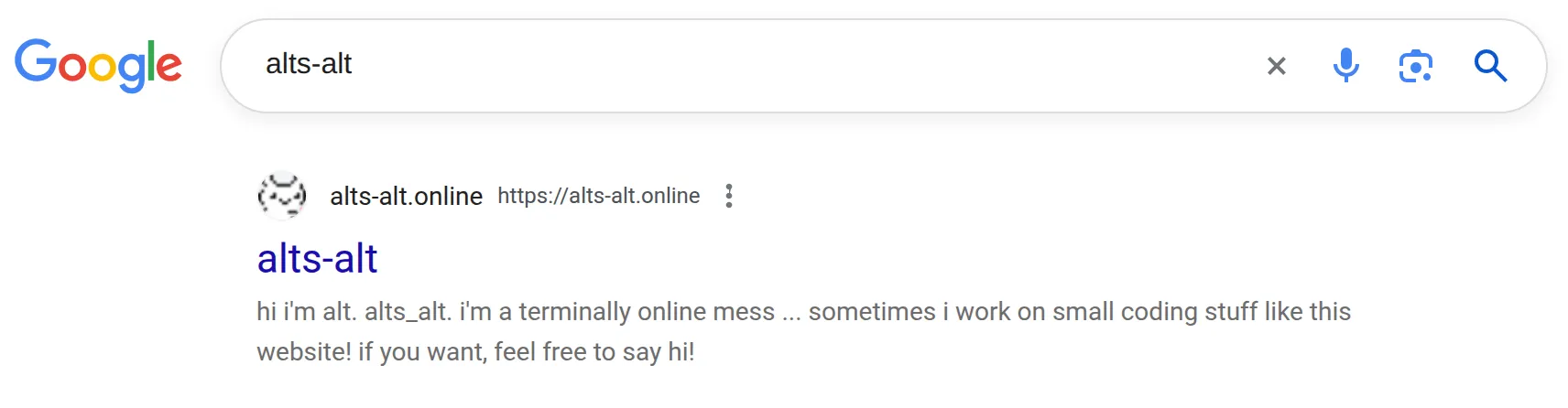
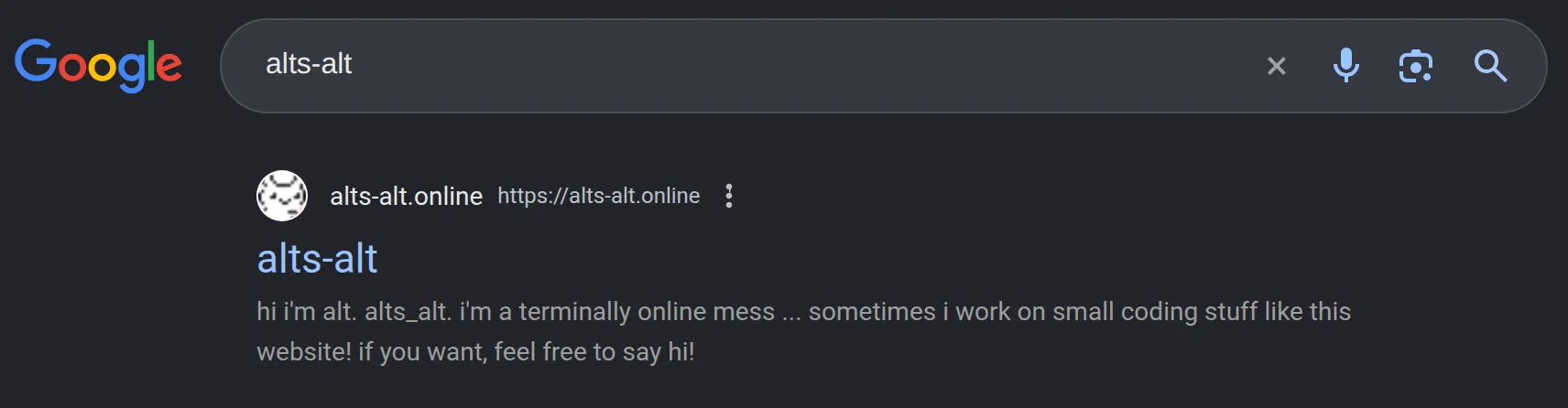
so where do we stand on the issues listed above? the quick flash of a blank page is no longer there, and i assume that for folks with slower connections, it's a far less jarring experience. and for the first time, the website actually shows up when you google it.14
other random things i changed
i also took care of a bunch of random other stuff during this work (asset optimizations, a kind-of design system library, fixing up the default contrast of color tokens) but here are the ones that deserve some explanation:
dropdown menus
if you've talked to me at any point in the last year, you'll have seen this coming. if you want a brand new brain worm, try going to a webpage that has a pop up menu that opens when you click it and navigating the menu with your arrow keys. better yet, if you have access to a screen reader,15 try turning it on and see what happens.
i'll wait.
you'll find that about 80% of the time, it either looks weird (good ending) or the interaction is a little strange (medium ending) or it just doesn't work (bad ending). and if you do this across a couple of sites, even with the ones that work, you'll find that they all work just a little bit differently. this to me is a damn shame from an accessibility standpoint, especially because there's very clear and detailed specs for expected behaviors for this kind of user interaction.16


and so, putting my money where my mouth is, the dropdowns on my site now follow this spec
kennel club collision engine
i've spent truly an undue amount of time on my kennel club project that has creatures representing my friends' websites running around a little kennel. for the longest time, it was one lonesome creature walking around, mostly napping, with frames ticking at 1 fps. i decided that as long as i was revamping my site, i would bump it up to six creatures with frames ticking at 12 fps.
i don't know what i expected, but of course the collision algorithm immediately broke. that's truly what i get for thinking that i could just brain blast it on my own in a programming language that i didn't (and arguably still don't) understand.
so i went back to the books and did a bunch of research to find a canonical 2d collision resolution algorithm, and landed on implementing the one that box2d uses.17
i've got nothing to say except that it actually works now. i'm curious to know how many simultaneous connections to the server will topple it over, so if you see that the photo that i put below hasn't loaded, you should submit an issue on github to the kennel club repo.
footnotes
-
i got a slack message from someone who didn't see that i was on leave asking if i had the time to do that engineering blog post that i've been putting off for the better part of six months. you might argue that i've been doing more work while off work. ↩
-
to be fair, it's probably more accurate to say that i've showed off the site to my friends and got immediately embarrassed when i realized that i showed them the exact same thing a year ago than it is to say that my friends asked me this out the gate ↩
-
16 oz oat latte to a 12 oz oat cappuccino. i blame my more reasonable order on befriending the local baristas. ↩
-
for those unfamiliar, neocities is a web hosting service whose low barrier of entry has enabled a resurgence of personal websites and a reinterest in the indie web. if you have any interest at all in the web as a form of self expression, do check it out. ↩
-
the virtual private server is this free cloud instance i got for from oracle a year ago. at some point when i'm feeling gutsier, i hope to move this from the cloud to some raspberry pi i have sitting in my apartment. better yet, move it over to a bunch of raspberry pi's that i've convinced my friends to let sit in their apartments, too. ↩
-
all in all, probably a good move on neocities' part, both from a security standpoint and from an indie web ideological standpoint. further reading here. ↩
-
as i found out while researching this post, the story behind what javascript search engine crawlers actually execute is a little complicated. google's been rendering with javascript since 2019 with the evergreen googlebot but many large search engines like baidu, yandex, and brave don't. furthermore, (if you're into this sort of thing) web crawlers for llm-based natural language chat engines generally do not run javascript. read more on that here. ↩
-
from what i can tell, part of the indie web is a reaction to the overt javascriptification that underpins the modern web's enshittification. nowadays, i don't buy into "javascript bad" but i can empathize with "javascript has its time and place." ↩
-
you'll note that that size is large enough to proc a bundler warning about keeping asset bundle sizes small, lest users face a performance degradation. you'll also note that i loved ignoring that warning. ↩
-
if you've ever used github pages, this would be your
404.html. ↩ -
"on-demand" rendering is astro's parlance. the industry term for this would be server-side rendering, which is a whole thing in and of itself. read more here. ↩
-
concretely, here's something my site actually uses this for: the links page renders a different icon for twitch depending on if i'm online on twitch or not. one way we could handle this behavior is by writing up some client-side javascript that says "go check if she's live, and if she is, swap out the icons" and your browser will handle all that logic. with prerendering, the server can make the request to twitch and send back the right icon straight to your browser without the browser having to lift a finger. ↩
-
funny enough, this reverse proxy required a backend migration in and of itself, from rust's rocket to axum. ↩
-
confession: it shows up when i google it from my google account from my computer. i don't think it'll show up as the first result from other devices. but hey! it shows up at all, and i count that as a win. ↩
-
if you're on a mac, hit CMD + F5 to turn on voice over (and do it again to turn it off). ↩
-
the spec is written by the good folks over at the web accessibility initiative, for whom i've become a bit of a ride-or-die. if you happen to be a web developer reading this, i am pleading for you to turn on a screen reader or use just your keyboard to navigate through your work once in a while. ↩
-
i won't bog this article down with the math, but the whole thing is rooted in signed distance functions and some techniques also used in ray marching which is to say, graphics programming. read more here. ↩